AI has transformed character creation from a specialist skill into something anyone can explore, but getting results that are memorable, consistent, and usable across projects still takes intention and structure.
One of the fastest ways to improve is to Create Consistent Characters with AI instead of treating every generation as a disconnected experiment.
Below are ten practical ways to sharpen your AI character creation process so your characters feel intentional, not random.
1. Start With a Character Blueprint, Not a Prompt
The key difference between amateur and professional character work is the work that happens before you even start typing into your AI tool․
Instead of heading straight for the character generator‚ take a moment to create a simple one-page blueprint for each character․
Include elements like:
- Core concept: role, archetype, and story function (for example, “grizzled starship engineer who hides a dry sense of humor”).
- Visual anchors: age range, body type, hair, clothing, color palette, and one or two distinctive props or symbols.
- Personality pillars: a handful of core traits plus one key flaw and one hidden strength.
- Context of use: game, animation, social persona, visual novel, or interactive assistant.
Having a reference point allows you to prompt‚ critique, and adapt your character to new scenes and media without subtle drift as more materials amass over time․
2. Treat Prompt Writing Like Directing a Photoshoot
Writing AI art prompts is like being a director and cinematographer․
You don’t just write prompts with words; you have to think in terms of a photoshoot․
Break your prompts into clear blocks:
- Subject: who the character is, including role and archetype.
- Physical features: face shape, eyes, hairstyle, body build, and any distinctive details like scars or tattoos.
- Wardrobe and props: clothing style, materials, cultural influences, and signature items.
- Mood and pose: facial expression, posture, and implied action (for example, “mid‑stride through neon rain, glancing back over their shoulder”).
- Style and medium: illustration style, level of realism, camera angle, and lighting.
Be specific․ Tweak an individual variable at a time in a prompt․
Keep the variations that work for you․
After a while‚ you’ll have a library of prompts you can use with that character․
3. Lock In Style Before You Chase Variations
A complaint regarding this use of pose and outfit sliders is that many creators will have an infinite amount of outfits and poses for their characters‚ ultimately never settling on one style to make their character look cohesive․
To do this:
- Choose a primary visual language (for example, painterly semi‑realism, flat cel shading, or stylized 3D).
- Standardize your style descriptors and reuse them consistently across prompts for that character.
- Keep aspect ratios and framing similar so faces and silhouettes stay comparable.
But after you’ve felt that style out a little bit‚ you can start to move in other directions: angles‚ expressions‚ outfits‚ that kind of stuff․
4. Build a Consistency Kit For Each Character
Consistency kits turn one good image into an entire character system that can be referenced again and again‚ condensed in a file that keeps every new generation on target․
A strong consistency kit typically includes:
- A reference sheet: front, three‑quarter, and profile views plus a small set of key expressions.
- A prompt library: your best‑performing prompts for neutral pose, action poses, close‑ups, and group scenes.
- A trait checklist: eye color, facial structure, accessories, patterns, scars, and any details that must never change.
- Naming and tags: a character name and a few shorthand tags you always include in prompts.
You can come back to the project a couple of weeks later, and this kit gives you everything you need to get a character looking and feeling just right․
5. Connect Visual Design With Personality And Voice
Great artificial intelligence characters should be coherent and behave in believable ways in story‚ chat, and interactives․
Their visuals‚ backstory, and voice should suit each other․
To connect those layers:
- Translate personality traits into visual cues such as posture, facial expressions, and clothing choices.
- Draft a short first‑person monologue or interview answer for the character, then refine it with AI while keeping your blueprint in view.
- When you generate dialogue or behavioral descriptions, check each one against the character’s core traits and correct anything that feels off.
Over time‚ however‚ certain repeated phrases‚ gestures, and emotional reactions develop‚ so that the character feels like the same person‚ no matter what․
6. Design For Reuse Across Platforms
That same character exists in short video‚ social media‚ interactive stories‚ profile pictures‚ and an infinite number of other instances․
It’s worth thinking about the applications and permutations of a creation․
It makes for a more agile creation․
Plan for cross‑platform use by:
- Creating both detailed “hero shots” and simplified silhouettes or icons that read clearly at small sizes.
- Generating variations in multiple formats (portrait, landscape, and square) so you can cover banners, feeds, and story layouts without cropping away important details.
- Defining a flexible color palette that still feels recognizable when backgrounds or lighting change.
It helps to think about it as a character system‚ rather than a one-off image‚ so it’s easier to build out whole casts that feel cohesive․
7. Use Feedback Loops To Sharpen Your Cast
Professional character pipelines have lots of feedback opportunities․
Try to integrate even the smallest feedback loop into your process so that you can produce clearer‚ more appealing characters‚ even as a solo developer․
Practical ways to do this:
- Show early concepts to a few trusted people and ask which versions feel closest to your written description.
- Test whether people can recognize the same character across different outfits or art styles.
- Listen to how others describe your character and feed those words back into prompts or bios if they match your intent.
If people tend to react to the same aspects of a character’s design‚ saying they look tired but sweet‚ for instance‚ you’re doing well․
8. Avoid Generic Tropes And Shallow Stereotypes
As AI is trained on very common patterns‚ it will tend to fall back on common tropes and cliche characters․
Avoiding these is a matter of some extra thought and a refreshing approach to the fictional characters and settings you create․
Some useful strategies:
- Start with a list of genre clichés you want to avoid and check your early generations against it.
- Ask AI for alternative takes on the same archetype, then choose options that break away from the first idea you see.
- Add specific background details, contradictions, and cultural depth that make the character feel grounded rather than formulaic.
These might include the gentle enforcer‚ the shy celebrity‚ the disciplined chaos mage‚ and others that will appeal to your players․
9. Turn One‑Off Experiments Into a Repeatable Workflow
One of the biggest improvements you can bring to your workflow is to turn these random experiments into a workflow that scales from one character to an entire ensemble without sacrificing quality․
A simple workflow might look like this:
- Draft the character blueprint and decide where this character will appear.
- Explore art styles with loose prompts until you find a direction that fits the blueprint.
- Generate a stable reference set and build your consistency kit.
- Develop personality materials—bios, dialogue samples, short scenes—that match the visual design.
- Test the character in different contexts and gather feedback.
- Document your final prompts, notes, and decisions so you can expand the character later.
Once set up with this system‚ you will be able to use Create Consistent Characters with AI for anything from a small passion project to a grand-scale world
10. Collaborate With Your Tools As Creative Partners
Current AI character platforms aim to standardize these processes (using fewer reference images)‚ transfer characters in multiple styles‚ and unify visual‚ narrative‚ and interactivity dimensions in one workflow․
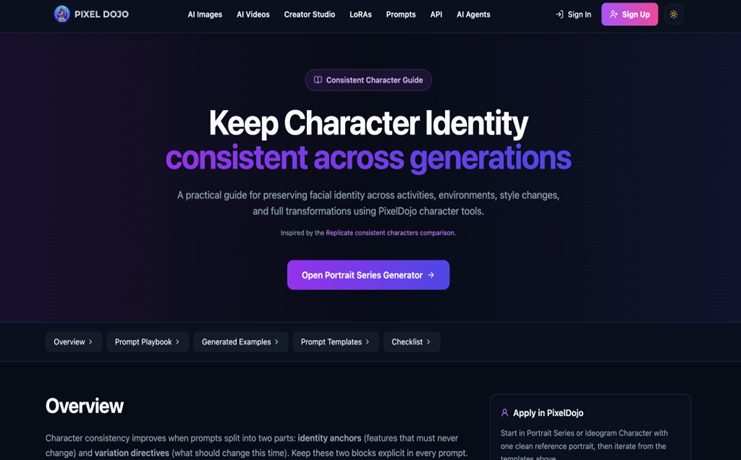
Pixel Dojo is an example of a creator- and task-oriented model that seeks to achieve this by turning unrelated tasks into automated‚ repeatable processes․
To get the most from any tool:
- Approach it as a collaborator that handles volume and variation while you handle taste and direction.
- Keep your blueprints, kits, and feedback close at hand instead of letting the tool dictate every choice.
- Regularly revisit older characters and update them with improved prompts or styles so your cast evolves with your skills.
You can make a strong‚ well-structured‚ consistent‚ and iterative cast of AI characters that look visually interesting in a single image‚ but are also highly recognizable‚ expressive‚ and adaptable as your stories and experiences take them on journeys from discovery through showing‚ telling‚ and showing again․