Voice has become a core part of how we work. From online meetings and podcasts to lectures and interviews, audio-to-text tools have shifted from simple transcription apps to intelligent systems that recognize speakers, tone, and context.
Recent progress in AI and neural language models has made a measurable difference. Tools are now more accurate, faster, and capable of understanding context in ways that mimic human comprehension. Many platforms use hybrid processing, where data is handled both locally and in the cloud, reducing lag while improving privacy and security standards.
Below are 8 audio-to-text apps you can rely on to capture meeting notes, produce content, or archive research, while enhancing how teams document and share information.
1. Happy Scribe
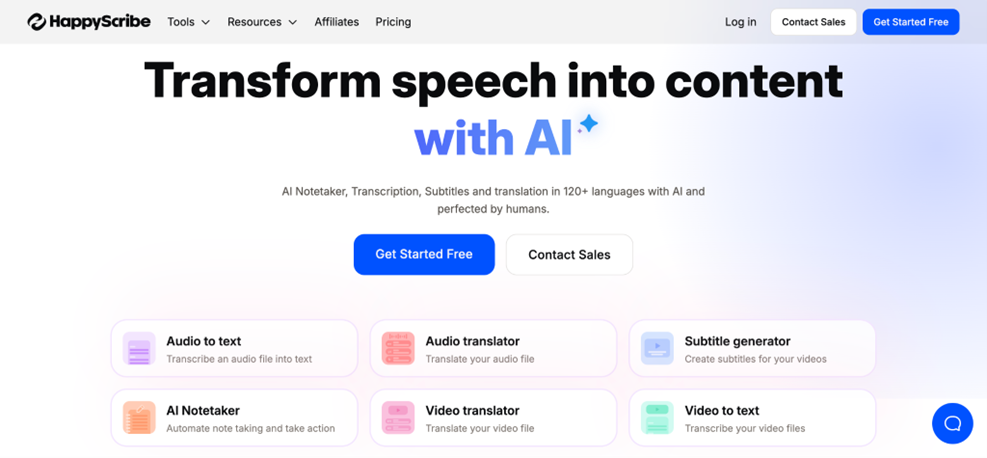
HappyScribe’s audio to text platform is built for precision and flexibility. It goes beyond simple transcription by combining a 99.2% accuracy rate with intelligent language detection and speaker differentiation that works smoothly in group recordings, interviews, and podcasts.
What sets Happy Scribe apart is how naturally it fits into professional workflows. Files can be uploaded from cloud drives or imported directly from platforms like YouTube, then exported in multiple formats with automatic punctuation, timestamps, and formatting already handled.
Its integrations with Google Drive, Dropbox, and editing suites mean files move seamlessly from recording to analysis, reducing manual handoffs and saving hours of editing. For recurring projects, large-scale research, or content production, Happy Scribe maintains consistent accuracy and speed across every transcript.
Supporting more than 119 languages and accents, it’s also one of the most globally adaptable transcription tools available. For journalists, researchers, and content teams, Happy Scribe offers the kind of reliability that saves hours of editing and delivers transcripts ready for publication or analysis.
Best for: Professionals, researchers, or content creators who require high multilingual accuracy, speaker identification, and seamless export into existing workflows.
2. Otter.ai
Real-time transcription and team collaboration are at the core of Otter.ai’s design. Unlike most platforms that focus only on post-meeting accuracy, it captures conversations as they happen and automatically generates summaries, highlights, and action items.
Its biggest advantage is how it enhances productivity. Teams can edit, comment, and collaborate directly within the transcript, making it perfect for hybrid meetings and fast-paced projects. Otter’s AI also learns custom vocabulary, improving accuracy for technical or industry-specific terms.
With enterprise-grade encryption and integrations with tools like Zoom, Google Meet, and Microsoft Teams, it provides both speed and reliability for organizations that need seamless, accurate transcription.
Best for: Teams and hybrid meetings that need live transcription, real‑time summaries, and collaboration across platforms.
3. Trint
Trint is built around precision editing and workflow integration, making it more than just a transcription tool. Its standout feature is the ability to edit transcripts while listening to the original audio, which saves time and ensures every word is accurate.
Beyond editing, Trint offers multi-user collaboration, letting teams comment, tag, and organize content in real time. Its API connections allow transcripts to flow directly into publishing platforms, project management software, or custom workflows, reducing manual handoffs.
Another defining feature is its support for industry-specific terminology, from legal and medical language to technical jargon. This reduces errors in specialized content and makes Trint a strong choice for teams that handle complex recordings. For anyone who needs editable, precise transcripts integrated seamlessly into professional workflows, Trint provides both speed and control.
Best for: Media, journalism, or projects needing editable transcripts, tight integration with publishing workflows, and support for technical or industry vocabulary.
4. Whisper AI Pro
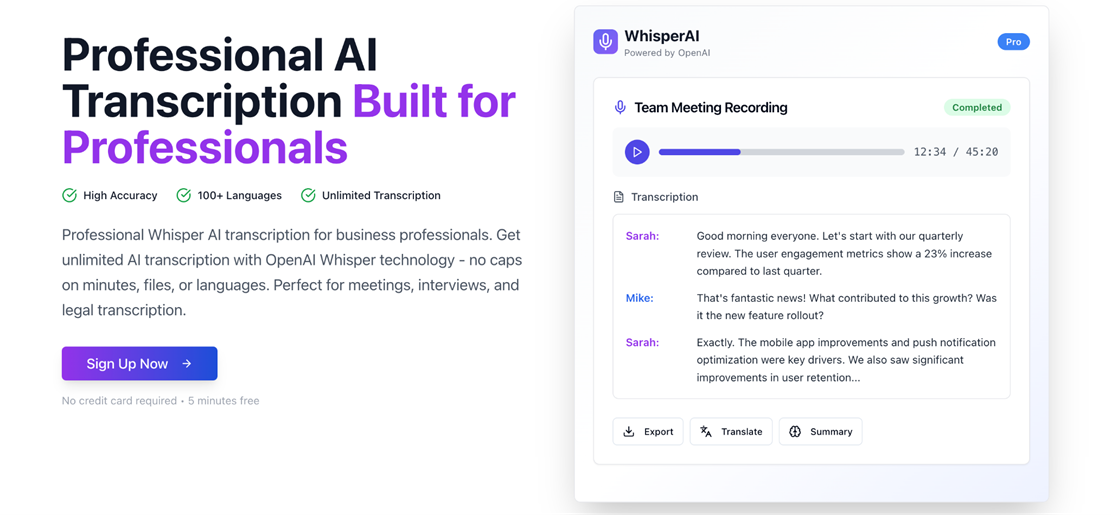
Built on OpenAI’s Whisper model, this tool adds enhanced noise reduction, offline transcription, and built-in translation, making it ideal for sensitive recordings or low-connectivity environments.
Its adaptive learning improves accuracy over time, recognizing accents, speech patterns, and specialized vocabulary more effectively the longer it’s used. This makes it particularly useful for long-term projects where consistency matters.
With multi-language support and the ability to process files locally, Whisper AI Pro delivers a blend of privacy, flexibility, and AI-driven intelligence that suits researchers, content creators, and professionals handling complex or confidential audio.
Best for: Working offline, handling sensitive recordings, low‑connectivity environments, or multi‑language translation tasks.
5. Sonix
Designed for handling large transcription volumes, this platform makes processing long or multiple recordings efficient. Batch processing and automated timestamping save time, while keyword extraction helps quickly navigate and review content.
Sonix also supports translation in over 35 languages and offers flexible export formats, making it a strong choice for global teams, content creators, and anyone who regularly works with diverse audio sources. Its combination of speed, organization, and multi-language support sets it apart for high-volume transcription workflows.
Best for: High‑volume transcription workflows (batch uploads), global content teams needing translation and multi‑format export.
6. Speechmatics
For organizations handling sensitive or diverse audio, Speechmatics offers enterprise-grade accuracy and compliance. It meets GDPR, HIPAA, and SOC2 standards, so teams can safely transcribe meetings, interviews, or podcasts without worrying about data security.
The platform excels at accent and dialect recognition, accurately capturing voices from around the world. This makes it particularly useful for international teams, remote interviews, or content that involves multiple speakers with varied backgrounds.
With flexible deployment options (cloud, on-premises, or hybrid), Speechmatics adapts to your workflow, letting teams scale transcription for large volumes while maintaining consistent accuracy.
Best for: Enterprises with strict compliance needs, and teams working with diverse accents/dialects across regions.
7. Notta
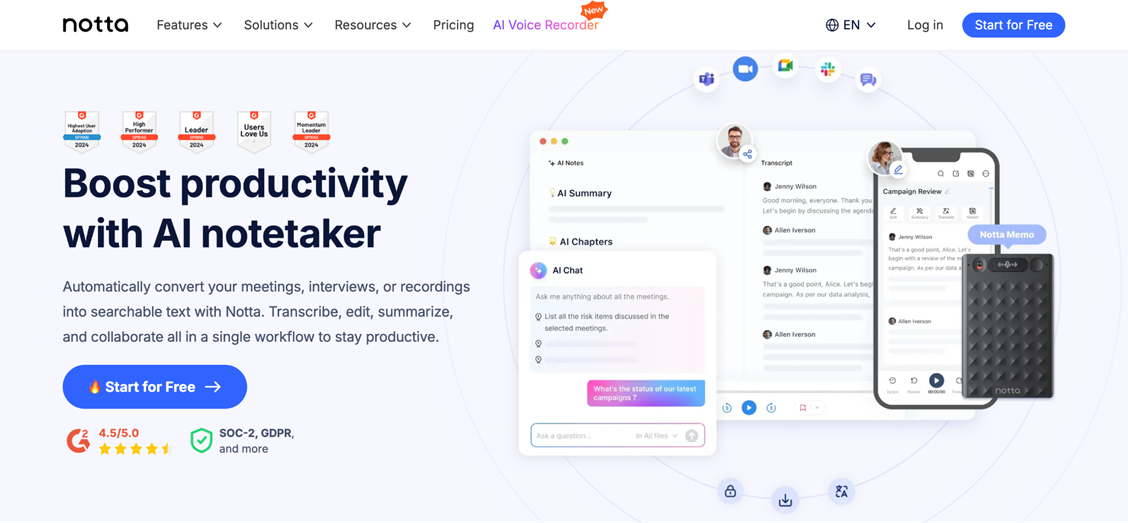
Notta is designed for quick, reliable transcription across devices, making it a strong option for students, professionals, and content creators who need accurate text without complex setups. Its real-time transcription lets you capture meetings, interviews, or lectures as they happen, while the mobile and web apps keep your transcripts synced across platforms.
The platform also includes speaker identification, automated summaries, and export options in multiple formats, so you can move from recording to usable text quickly. For anyone who wants an easy-to-use, cloud-based tool that balances accessibility with solid accuracy, Notta is a practical and flexible choice.
Best for: On‑the‑go transcription across mobile/web, students, professionals or casual users who need synced transcripts and simplicity.
8. Speechify
Originally a text-to-speech platform, Speechify now offers accessible audio-to-text transcription for casual users and students. Its freemium model provides an easy entry point for those who need occasional transcription without investing in premium software.
The tool is particularly useful for learners or users with accessibility needs, thanks to its simple interface and cross-platform syncing. Transcripts are generated quickly, making it a convenient option for note-taking, lectures, or short recordings.
While accuracy and formatting are more limited compared to professional platforms, Speechify provides a fast, low-friction solution for everyday transcription tasks.
Best for: Learners, accessibility‑focused users, or those wanting a freemium entry point for quick transcription of lectures, notes, or short recordings.
Choosing the right transcription app
There are tons of tools out there, but picking the one that’s right for you depends on what you need it to do:
- Accuracy: Can it handle different accents, background noise, or specialized vocabulary without constant corrections?
- Workflow and collaboration: If you’re working with a team, real-time editing, commenting, and integrations with your existing apps can save hours.
- Scalability: How well does it manage multiple files or long recordings for larger projects?
- Accessibility and cost: Some solutions are perfect for individuals or students looking for something simple and affordable, while others are built for professional teams with higher demands.
- Privacy and security: For sensitive content, make sure the tool supports encryption, compliant storage, or even offline processing.
As transcription becomes a standard part of work and content creation, keep an eye on features like real-time translation, sentiment detection, and offline capabilities. These can make a big difference in how smoothly your audio turns into actionable text.
Maximizing productivity with audio-to-text in 2025
Transcription technology has evolved into a core productivity tool, capable of capturing meetings, interviews, and content with speed and precision. In 2025, the real advantage comes from solutions that combine high accuracy, context-aware understanding, and seamless workflow integration.
Choosing the right approach can save time, reduce errors, and make recorded information easier to search, edit, and share. Whether for research, content creation, or professional collaboration, effective audio-to-text tools are now essential for turning spoken words into actionable, organized, and reliable text.